You hear a beep from somewhere in the house. It’s not the smoke detector — it’s a different sound, maybe shorter, maybe a rapid series of chirps. You follow it to the laundry room, the basement, or under the kitchen sink, and you find your water leak detector going off.
Water leak detectors are one of the fastest-growing categories in smart home safety. They’re cheap, easy to install, and can save you thousands of dollars in water damage. But when they beep, you need to know what the sound means and what to do — because a water leak can cause serious damage fast.
Here’s a complete guide to understanding and responding to your water leak detector’s alarm.
What a Water Leak Detector Alarm Means
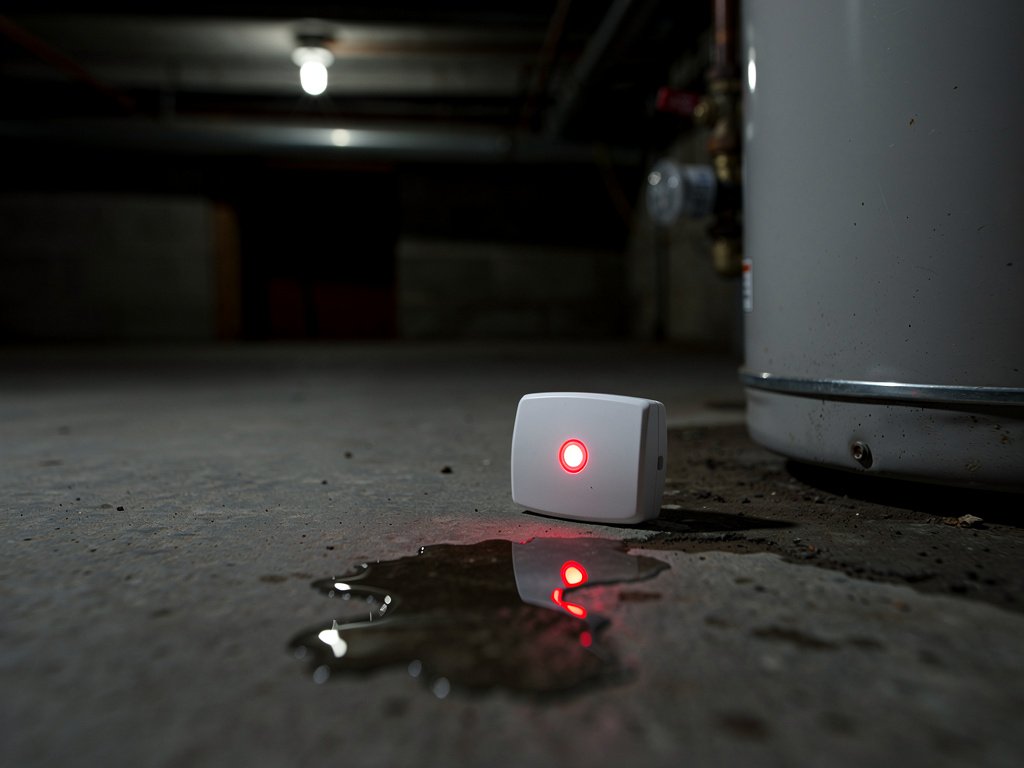
Water leak detectors use different beep patterns to communicate different things. While the exact pattern varies by brand, here are the common signals:
Rapid beeping or continuous alarm (3+ beeps per second): This means water has been detected. The sensor on the bottom of the unit (or on the cable probe for cable-style detectors) has made contact with water. This is the alarm you need to act on immediately.
Single chirp every 30-60 seconds: This is almost always a low battery warning. The detector’s battery is running low and needs replacement. Unlike smoke detectors, water leak detectors typically use coin-cell batteries (CR2032) or AA batteries.
Short beep every few hours: Some smart detectors beep periodically to indicate a connectivity issue — the detector has lost its Wi-Fi or Bluetooth connection and can’t send phone alerts. Check the app for connection status.
Beep with flashing light: Many detectors combine the beep with a visual indicator. A red flashing light alongside the beep usually confirms a water detection event. A yellow or amber light typically indicates a low battery or connectivity issue.
Immediate Steps When the Alarm Sounds
If your detector is signaling a water detection event, follow these steps in order:
Step 1: Locate the Detector and Verify the Alarm
Find the detector (follow the sound) and look at it. If the detector is on the floor and you see visible water around it, the alarm is real. If the floor is dry, you may have a false alarm (covered below).
Step 2: Shut Off the Water (If Needed)
If water is present and you can identify the source (a burst pipe, a leaking appliance, a overflowing toilet), shut off the nearest water supply valve. For washing machines, the valves are behind the machine. For sinks, they’re under the basin. For toilets, there’s a valve on the wall near the base.
If you can’t find the source or the water is spreading quickly, shut off the main water supply to the house. The main shutoff is usually in the basement, near the water meter, or outside the house near the street.
Step 3: Document the Damage
Take photos and videos of the water and any damage before you start cleaning up. If you’ll be filing an insurance claim, documentation is essential. Note the time, date, and what you observed.
Step 4: Start Cleanup
Remove standing water with towels, a wet/dry vacuum, or a mop. Move furniture and belongings away from the wet area. If the water reached drywall or flooring, use fans and dehumidifiers to dry the area thoroughly — moisture left in walls or subfloors can lead to mold within 24-48 hours.
Step 5: Find the Source
Once the immediate water is handled, trace it back to the source. Common sources include:
- A burst or leaking pipe (look for water stains on walls or ceilings)
- A washing machine hose that cracked or came loose
- A water heater that’s leaking from the bottom
- An overflowing or clogged toilet
- A refrigerator with an ice maker or water dispenser line leak
- A roof leak (if the detector is on an upper floor)
If you can’t find the source, call a plumber. Undetected leaks behind walls can cause extensive structural damage.
Finding the Source of the Leak
If the detector is in a known high-risk area (under a sink, near a water heater, behind a washing machine), the source is usually obvious. But if the detector is in a general area (like a basement floor), you may need to investigate:
- Follow the water trail: Water follows gravity. Trace the wet area back to the highest point where water is visible — that’s likely near the source.
- Check above: If the detector is on a lower floor, water from an upstairs leak may be traveling down through walls or along pipes.
- Check pipes and fittings: Look for condensation, drips, or corrosion on exposed pipes.
- Check appliances: Run each water-using appliance one at a time and check for leaks.
- Check the water meter: Turn off all water in the house. If the water meter is still moving, you have a leak somewhere in the system.
Common False Alarm Causes
Not every beep means a real leak. Here are the most common false alarm triggers:
Condensation and high humidity: If the detector is in a naturally humid area (basement, bathroom, near a dehumidifier), condensation can accumulate on the sensor and trigger the alarm. This is especially common in summer when humidity is high.
Spilled water: A splash from the sink, a dropped drink, or a pet’s water bowl can trigger the detector if it’s nearby. Check for obvious spills before panicking.
Wet cleaning: If you mopped or spilled water near the detector, it may trigger. Dry the area and the detector sensor.
Sensor placement on wet floor: If you placed the detector on a floor that gets wet regularly (like near a pet’s water bowl or in a garage), relocate it.
Low battery chirp mistaken for alarm: Some detectors use a similar beep pattern for low battery as for water detection. Check the LED color (red = water, yellow = low battery) or the app to distinguish.
How to Silence the Alarm
Manual silence button: Most detectors have a silence/mute button on the front or side. Press it once to silence the alarm. The detector will resume monitoring after 10-15 minutes.
App-based silencing: Smart detectors connected to Wi-Fi can be silenced from the app. Open the app, find the detector, and tap “Acknowledge” or “Silence.”
Remove the battery: If the alarm won’t silence (some cheap detectors don’t have a mute button), remove the battery. This is a last resort — the detector won’t monitor until you reinsert the battery.
Don’t silence and ignore: Silencing the alarm doesn’t fix the problem. If the detector went off due to water, find and fix the source. If you silence it and water continues, the detector will sound again (unless the sensor has dried).
Choosing the Right Water Leak Detector
If you’re buying a new water leak detector — or adding more to your home — here’s what to look for:
Sound alarm: Every detector should have a built-in audible alarm (80+ dB) so you hear it even if you’re not near your phone. This is non-negotiable — a detector that only sends phone alerts is useless if you’re asleep.
Phone alerts: Smart detectors send push notifications when water is detected. This is critical if you’re away from home when a leak starts.
Cable sensors: Some detectors come with a cable that extends the detection area. The cable lies on the floor along a wall or under an appliance, detecting water anywhere along its length. This is useful for long perimeters (like an entire basement wall).
Temperature monitoring: Many smart detectors also monitor temperature. If the temperature drops below freezing, the detector alerts you — frozen pipes are a leading cause of burst pipes and water damage.
Battery life: Look for detectors with at least 1-2 years of battery life. Some models have sealed batteries that last 3+ years.
Automatic shutoff integration: Premium systems (like the Moen Flo or Phyn Plus) install on your main water line and can automatically shut off water when a leak is detected. These are more expensive but provide the highest level of protection.
Best Placement for Water Leak Detectors
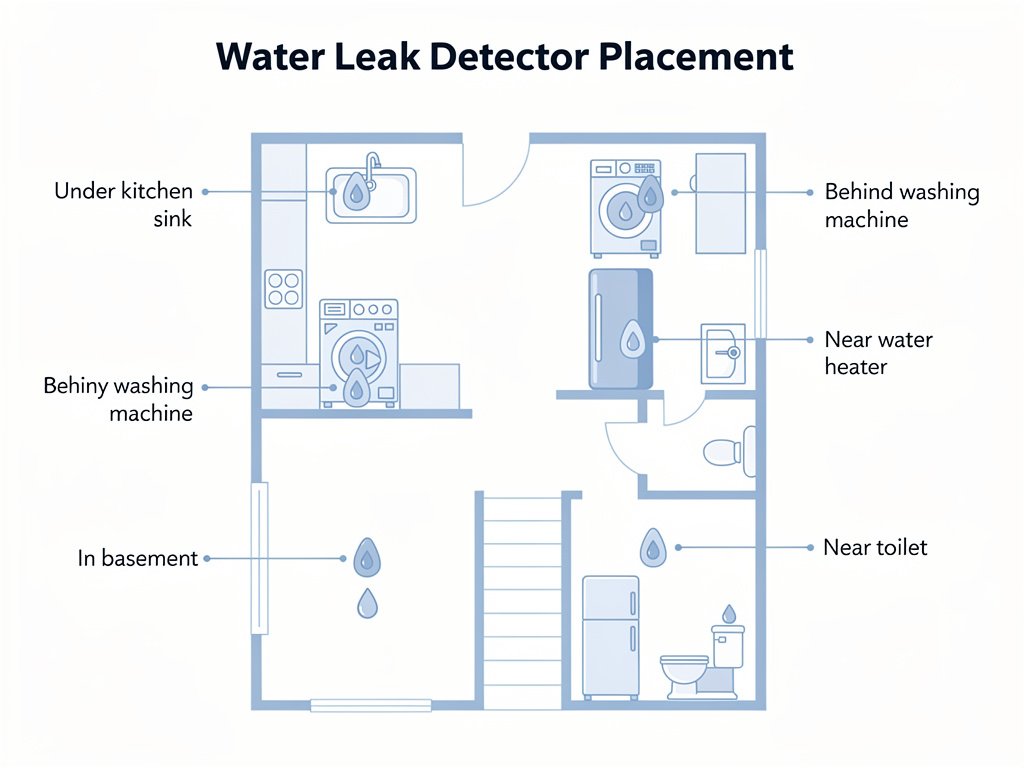
Place detectors in every area where water damage is likely:
- Under sinks (kitchen and bathroom)
- Behind the washing machine (hose failures are common)
- Next to the water heater (especially if it’s inside the house)
- In the basement (near the floor, along walls where pipes run)
- Behind the refrigerator (if it has an ice maker or water line)
- Near the toilet (especially in bathrooms with supply lines that could leak)
- Near the dishwasher
- In any room with a water-using appliance
For maximum coverage, place one detector per water source. A typical home needs 4-6 detectors.
Smart Water Leak Detectors vs. Basic Sensors
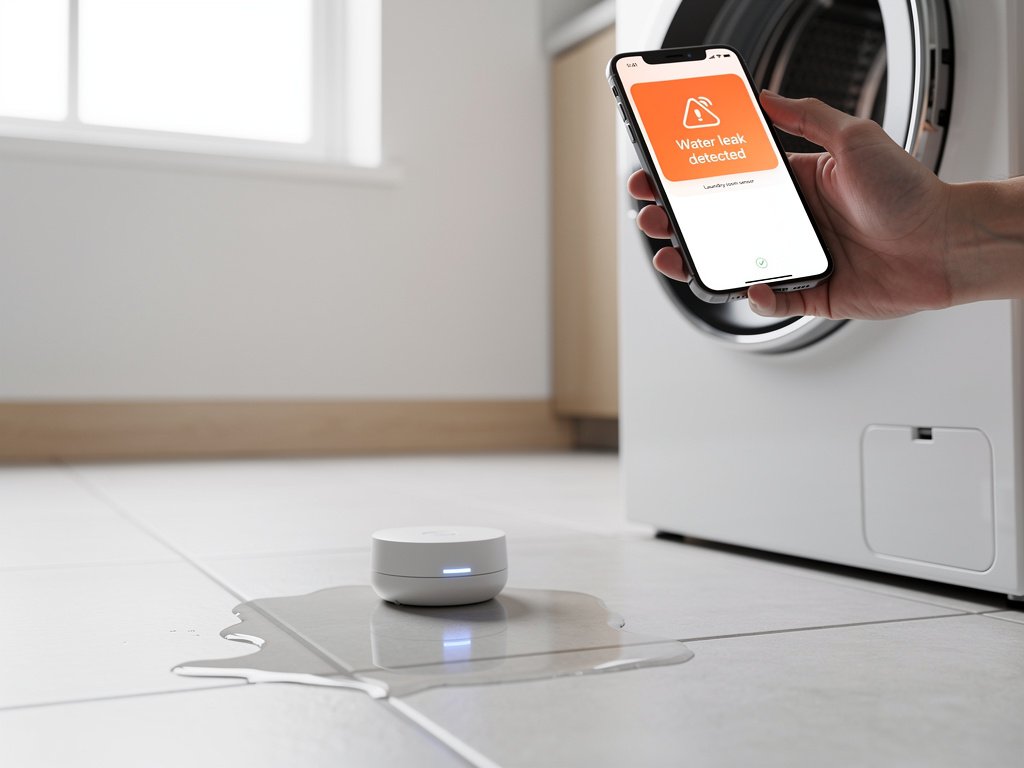
Basic sensors ($15-30): These beep when water touches the sensor. They’re simple, cheap, and effective if you’re home. They do NOT send phone alerts.
Smart detectors ($30-80): These connect to Wi-Fi and send phone alerts when water is detected or batteries are low. They’re worth the extra cost if you’re ever away from home — many leaks happen while people are at work or on vacation.
Whole-home systems ($200-500+): These install on the main water line and monitor flow rate. They can detect slow leaks (too small to trigger a floor sensor) and automatically shut off water. They’re the most expensive option but provide the most comprehensive protection. If you travel frequently or own a second home, a whole-home system is worth the investment — a single burst pipe while you’re away can cause tens of thousands in damage.
The choice depends on your situation. If you’re home most of the time, basic sensors are adequate. If you travel, have a vacation home, or want peace of mind, smart detectors with phone alerts are the minimum. If you want automatic shutoff, go with a whole-home system.
FAQ
How long do water leak detector batteries last? Most coin-cell (CR2032) batteries last 1-2 years. AA-powered detectors last 1-3 years depending on usage. Smart detectors that connect to Wi-Fi use more power and may need battery changes more frequently. Some premium models have sealed batteries that last 3+ years.
Can I use a water leak detector in a bathroom? Yes, but place it where it won’t get wet from normal use. A detector on the floor near the toilet supply line is fine. A detector on the shower floor will give false alarms every time someone showers.
What should I do if my water leak detector keeps giving false alarms? First, check for actual moisture on the sensor — even a small amount of condensation can trigger it. If the sensor is dry, the detector may be too sensitive or placed in a humid area. Try moving it to a drier location or wiping the sensor with a dry cloth.
Do I need a water leak detector if I have a sump pump? Yes. A sump pump prevents basement flooding, but if the pump fails, the water rises quickly. A leak detector near the sump pump will alert you if water is rising and the pump isn’t working.
Can a water leak detector detect a slab leak? Not directly. Slab leaks happen under the concrete foundation and won’t reach a floor sensor until the water has already caused significant damage. However, a whole-home flow monitor can detect the continuous water flow that indicates a slab leak.
Catch Leaks Before They Spread
A $25 water leak detector can prevent $25,000 in water damage. The key is placement — put detectors where water is most likely to accumulate, test them monthly (most have a test button), and respond immediately when they beep. Don’t silence the alarm and go back to sleep; the water will still be there in the morning.
If you’re hearing other beeping devices in your home and can’t identify them, check our guides on smoke and CO detector beeping and appliance beeping. Knowing which device is making which sound is the first step to fixing the problem.
Related Articles
- Radon Detector Beeping — another home safety sensor
- Refrigerator Beeping: Meaning and Fixes — appliance beeping guide
- Carbon Monoxide Detector Placement Guide — home sensor placement