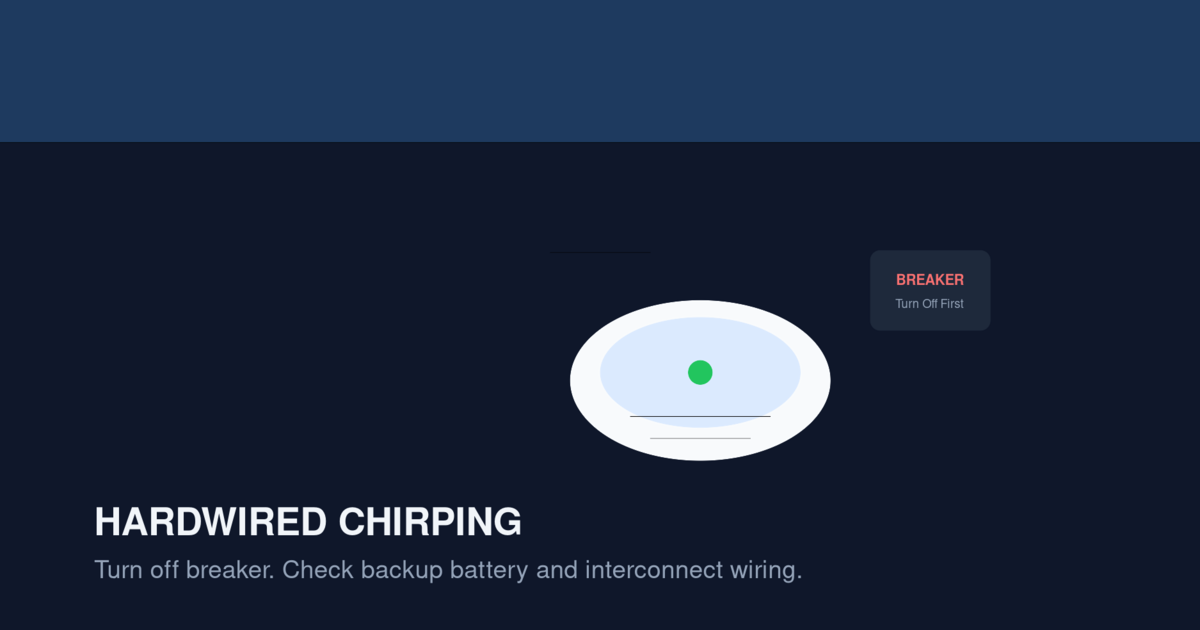
Important: Hardwired smoke alarm chirp patterns vary by model and manufacturer. Always turn off the circuit breaker before removing a hardwired detector. Check your specific model’s manual for exact beep codes and reset procedures.
Hardwired First Alert detectors chirp for specific reasons that differ from battery-only units. The chirp usually indicates a backup battery issue, wiring fault, or interconnection problem. This guide covers common reset procedures, brand-specific quirks, and fixes that work for First Alert hardwired detectors.
Why Hardwired Detectors Chirp
Hardwired smoke detectors connect to your home’s AC power but have a backup battery that takes over during outages. The chirp usually indicates one of three issues:
Issue 1: Low Backup Battery (Most Common)
The backup battery has dropped below operational voltage. The detector chirps to alert you, even though AC power is still connected.
Issue 2: Wiring Fault
The AC connection is loose, the interconnect wire is damaged, or the wiring harness isn’t fully seated at the mounting bracket.
Issue 3: Interconnection Issue
In interconnected systems, one detector’s fault can cause the others to chirp. The original detector may have a specific issue, but the chirping propagates through the interconnect wire.
Quick Fix: The First Alert Hardwired Reset
If your hardwired First Alert detector is chirping, follow this exact procedure:
- Turn off the breaker for the smoke detector circuit. Verify by pressing the test button — it should not respond.
- Twist the detector counterclockwise to release it from the mounting bracket.
- Disconnect the wiring harness by pressing the tab and pulling. Do not pull on the wires.
- Remove the backup battery from the compartment.
- Press and hold the test button for 15-20 seconds. This drains residual charge.
- Install a fresh backup battery (alkaline or lithium, matching what was removed).
- Reconnect the wiring harness firmly.
- Mount the detector by twisting clockwise until it clicks.
- Turn the breaker back on.
- Press the test button briefly to verify the detector works.
The chirp should stop within a few minutes. If it continues, the issue is more than just the battery.
Backup Battery Replacement for First Alert Hardwired Detectors
Different First Alert hardwired models use different backup batteries:
Models Using 9V Backup Battery
- First Alert SA511CN3
- First Alert SA520CN
- First Alert SC9120B
Replace with Energizer Ultimate Lithium 9V. Lasts 5-10 years vs 1-2 years for alkaline.
Models Using AA Backup Batteries
- First Alert P1010AC (hardwired version of P1010)
- Some newer First Alert hardwired models
Replace with Energizer Ultimate Lithium AA. Lasts 5-10 years.
Sealed 10-Year Backup Battery
Some First Alert hardwired models have a sealed 10-year backup battery. When the battery dies, replace the entire detector. Models include the SA3210CN10.
Chirp Patterns on Hardwired First Alert Detectors
First Alert hardwired detectors use these chirp patterns:
Single Chirp Every 60 Seconds
Meaning: Low backup battery
The most common chirp pattern on hardwired units. The backup battery needs replacement.
Fix: Replace the backup battery following the reset procedure above.
Single Chirp Every 30 Seconds
Meaning: End of life or sensor fault
The detector has reached its 10-year expiration or the sensor has failed. Battery replacement won’t fix this.
Fix: Replace the detector. See our How Often to Replace Smoke Detectors guide.
3 Chirps Every 60 Seconds
Meaning: Wiring fault or interconnect issue
Common causes:
- Loose wiring harness
- Damaged interconnect wire between detectors
- Failed component in one detector causing the others to chirp
Fix: Check the wiring harness at each detector. If the wiring is OK, identify which detector has the fault by looking at LED patterns.
5 Chirps Every 60 Seconds
Meaning: Memory error after a previous alarm event
The detector remembers that it alarmed previously and continues to chirp.
Fix: Press and hold the test button for 15-20 seconds to clear the memory. The chirp should stop after the reset.
Identifying Which Detector Is the Source
In interconnected systems, multiple detectors may chirp due to a single detector’s fault. To identify the source:
Step 1: Note Which Detectors Are Chirping
When the chirping starts, walk through the home and note which detectors are chirping. They should all be interconnected, but the source detector usually has a different LED pattern.
Step 2: Look at the LED Patterns
The source detector usually has a flashing yellow or red LED, while the others have a solid green LED. The source is the one with the abnormal LED.
Step 3: Check Each Detector’s Backup Battery
If multiple detectors are chirping, the issue may be that all backup batteries need replacement. Hardwired interconnected systems often use batteries of the same age, so they all need replacement at the same time.
Step 4: Reset All Detectors
After replacing all backup batteries, perform a hard reset on all interconnected detectors:
- Turn off the breaker
- Remove all detectors from their mounting brackets
- Disconnect all wiring harnesses
- Remove all backup batteries
- Press and hold the test button on each detector for 15-20 seconds
- Reinstall batteries
- Reconnect wiring harnesses
- Mount all detectors
- Turn the breaker back on
- Test each detector
This whole-home reset clears all error states and ensures the system is synchronized.
Common First Alert Hardwired Models and Their Specific Issues
First Alert SA511CN3
The most common hardwired photoelectric First Alert detector. Backup battery is 9V. Chirp patterns are standard.
Common issue: The wiring harness can become loose over time, especially in homes with vibration (near HVAC equipment, second floors). Reconnect the harness firmly.
First Alert SC9120B
Combination smoke and CO detector. Backup battery is 9V. The CO sensor expires after 7 years.
Common issue: The CO sensor may trigger chirps before the smoke sensor expires. Replace the entire unit when the CO sensor expires.
First Alert SA520CN
Hardwired interconnected photoelectric detector. Uses AA backup batteries (some models use 9V).
Common issue: The interconnect wire connection can corrode over time, especially in humid environments (bathrooms, kitchens). Clean the connections or replace the wire.
First Alert P1010AC
Hardwired version of the P1010 with voice alerts. Uses AA backup batteries.
Common issue: Voice alerts may continue after the chirp is silenced. This is normal behavior — the voice alert is a secondary notification.
First Alert SC5 (Hardwired Version)
Smart detector with Wi-Fi connectivity. The Google Home app provides detailed status.
Common issue: Smart features may not work during a power outage if the backup battery is dead. Replace the battery promptly.
For more on the SC5, see our Nest Protect Discontinued Replacement Guide.
When the Chirp Returns After Reset
If the chirp returns within 24 hours of the reset, the issue is more serious than a battery problem.
Possible Causes
- Wiring fault that wasn’t addressed by the reset
- Damaged interconnect wire between detectors
- Failed component in one detector
- End-of-life sensor that battery replacement can’t fix
- Power supply issue at the electrical panel
Diagnostic Steps
- Verify that the breaker is on and providing AC power
- Check the voltage at the detector using a multimeter (should read 120V)
- Check the wiring harness for damage or corrosion
- Disconnect each interconnected detector one at a time to identify the source
- If one detector’s removal stops the chirping, that detector has the fault
Re-Syncing Interconnected Detectors
After replacing backup batteries or installing new detectors, the interconnected system needs to re-sync. Here’s how:
Step 1: Verify All Detectors Are Compatible
All interconnected detectors should be the same brand and model. Mixing brands can cause synchronization issues. If you have mixed brands, replace all of them with the same model.
Step 2: Check the Interconnect Wire
The interconnect wire (usually red) connects all detectors in the system. Verify that:
- The wire is connected at every detector
- The wire is not damaged
- The wire is properly seated in the wiring harness
Step 3: Power Cycle the System
Turn off the breaker for the smoke detector circuit. Wait 30 seconds. Turn the breaker back on. This forces all detectors to re-establish their interconnect communication.
Step 4: Test the Interconnect
Press and hold the test button on one detector for 5 seconds. All interconnected detectors should sound within a few seconds. If one doesn’t sound, check its interconnect connection.
Why Lithium Backup Batteries Are Critical for Hardwired Units
The backup battery in a hardwired detector is more critical than the battery in a battery-only unit. Here’s why:
The Backup Battery Is the Only Protection During Outages
When AC power is lost, the backup battery is the only thing keeping the detector working. A dead backup battery means the detector is disabled during outages, which are precisely when fires are most dangerous (candles, generators, alternative heating sources).
Lithium Batteries Last Longer
Alkaline backup batteries last 1-2 years. Lithium backup batteries last 5-10 years. The longer lifespan means fewer battery changes and less chance of the battery dying unexpectedly.
Lithium Batteries Handle Temperature Better
Alkaline batteries lose voltage in cold temperatures. Lithium batteries maintain voltage across a wider temperature range. If your detectors are in an unheated area (garage, attic, basement), lithium is essential.
Common Mistakes with First Alert Hardwired Detectors
Mistake 1: Not Turning Off the Breaker
Always turn off the breaker before working on hardwired detectors. Working on a live detector can damage the detector or cause electric shock.
Mistake 2: Not Disconnecting the Wiring Harness
Even with the breaker off, disconnect the wiring harness. This prevents the detector from drawing residual current and ensures a proper reset.
Mistake 3: Reusing Old Backup Batteries
Don’t reuse old backup batteries. Even if they appear to work, they’re at the end of their lifespan. Install fresh batteries.
Mistake 4: Mixing Battery Types
Use the same battery chemistry throughout the system. Don’t mix alkaline and lithium backup batteries in interconnected detectors.
Mistake 5: Not Testing the Interconnect After Reset
After resetting, test the interconnect. Press the test button on one detector and verify that all interconnected detectors sound. A broken interconnect can prevent the system from working during an actual fire.
When to Call an Electrician
Call an electrician if:
- The chirp returns after a full reset
- You smell burning near a detector
- The breaker keeps tripping when you restore power to the detector circuit
- The wiring in the ceiling is visibly damaged
- You need to run new interconnect wire between detectors
- Multiple detectors are chirping simultaneously and you can’t identify the source
Electrician costs for smoke detector work:
- Simple reset: $100-200
- Wiring repair: $200-500
- New interconnect wire: $300-800
FAQ
Why does my hardwired First Alert detector chirp even with a fresh battery?
The most common cause is residual charge in the detector’s capacitors. Perform a hard reset by pressing and holding the test button for 15-20 seconds. If the chirp continues, the detector has an internal fault and needs replacement.
How do I know if my hardwired First Alert is chirping because of the battery or the wiring?
The chirp pattern tells you. Single chirp every 60 seconds = battery. Three chirps in a row = wiring. If you’re unsure, replace the battery first and reset. If the chirp continues with the same pattern, it’s a wiring issue.
Can I replace a hardwired First Alert detector myself?
Yes, if you’re replacing it with a compatible model. Turn off the breaker, disconnect the wiring harness, install the new detector. The process takes 10-15 minutes per detector.
How long do hardwired First Alert detectors last?
10 years from the date of manufacture. Replace at 10 years regardless of apparent condition.
How long do the backup batteries last?
Alkaline backup batteries last 1-2 years. Lithium backup batteries last 5-10 years. Replace annually (alkaline) or every 5-10 years (lithium).
Why do all my hardwired detectors chirp at the same time?
In interconnected systems, one detector’s fault propagates through the interconnect wire, causing all detectors to chirp. Identify the source detector (look for abnormal LED patterns) and address that specific detector first.
Can I use alkaline and lithium batteries in the same interconnected system?
No. Use the same battery chemistry throughout the system. Mixing chemistries can cause voltage differences that confuse the interconnect communication.
What if my First Alert chirps at night?
This is usually a low-battery issue. The temperature drop at night reduces battery voltage. Replace the battery with a fresh lithium battery to stop nighttime chirping. See our Smoke Detector Chirping at Night guide.
Should I replace all hardwired detectors at once?
Yes, if they’re all the same age. This standardizes the system and ensures consistent performance.
What if my hardwired detector has no obvious chirp pattern?
Time the interval between chirps. If it’s exactly 60 seconds, it’s low battery. If exactly 30 seconds, it’s end of life. If irregular, it’s a wiring or component fault.
Related Articles
- First Alert Smoke Detector Chirping — comprehensive chirp troubleshooting
- Hardwired Smoke Detector Beeping — for hardwired systems generally
- Smoke Detector Chirping at Night — for nighttime chirps
- First Alert Green Light Blinking and Chirping — LED pattern guide
- Smoke Detector Replacement Cost — replacement pricing