There’s a beep somewhere in your house and you don’t know what it is. You’ve paused mid-sentence three times, walked into the wrong room twice.
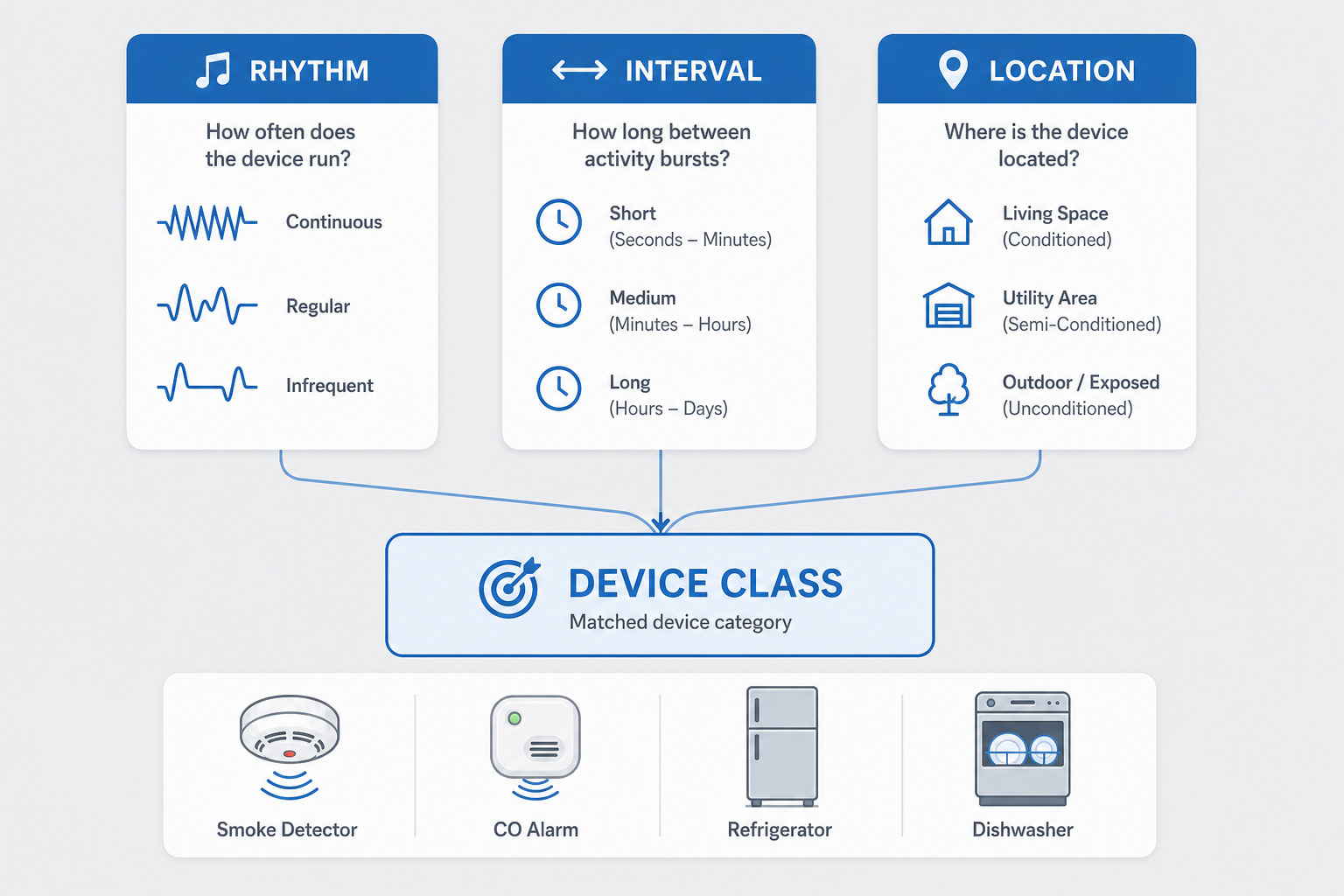
You can usually identify a mystery beep by three clues: its rhythm (single chirp vs pattern vs continuous), its clock (every 30 seconds, every 60 seconds, every 15 minutes), and its location (ceiling device vs appliance vs wall outlet). Match those three against the table below — it points to the culprit and the exact fix-it guide on this site.
The 20-second theory: why everything beeps differently
Manufacturers encode meaning in rhythm, not pitch. Once you learn to read timing, a mystery beep narrows down in seconds instead of twenty minutes of room-to-room hunting.
- Single periodic chirp. One sound at regular intervals = maintenance — low battery or end-of-life.
- Multi-beep pattern. Two, three, four beeps with pauses between groups = event code — error state or sensor fault.
- Continuous alarm. Sustained tone or rapid repeating beep with no pause = active alert requiring immediate attention.
Read the rhythm before you hunt. It tells you whether to relax, investigate, or act fast.

The master matching table
Match your beep to a row — it tells you the device class, what the pattern means, and where to go next.
| Rhythm | Interval (between chirps) | Likely location | Device class | What it means | Fix-it guide |
|---|---|---|---|---|---|
| Single chirp | Every 30–60 seconds | Ceiling, hallway | Smoke detector | Low battery (replaceable) | Smoke detector chirping low battery |
| Single chirp | Every 5+ minutes | Ceiling, hallway | Smoke detector | End-of-life — replace the unit | Smoke alarm end-of-life beeps |
| Three beeps, pause, repeat | Every 30–60 seconds | Kitchen, bedroom, hallway | Smoke detector (alarm mode) | Smoke detected or smoke sensor fault | Smoke detector chirping at night |
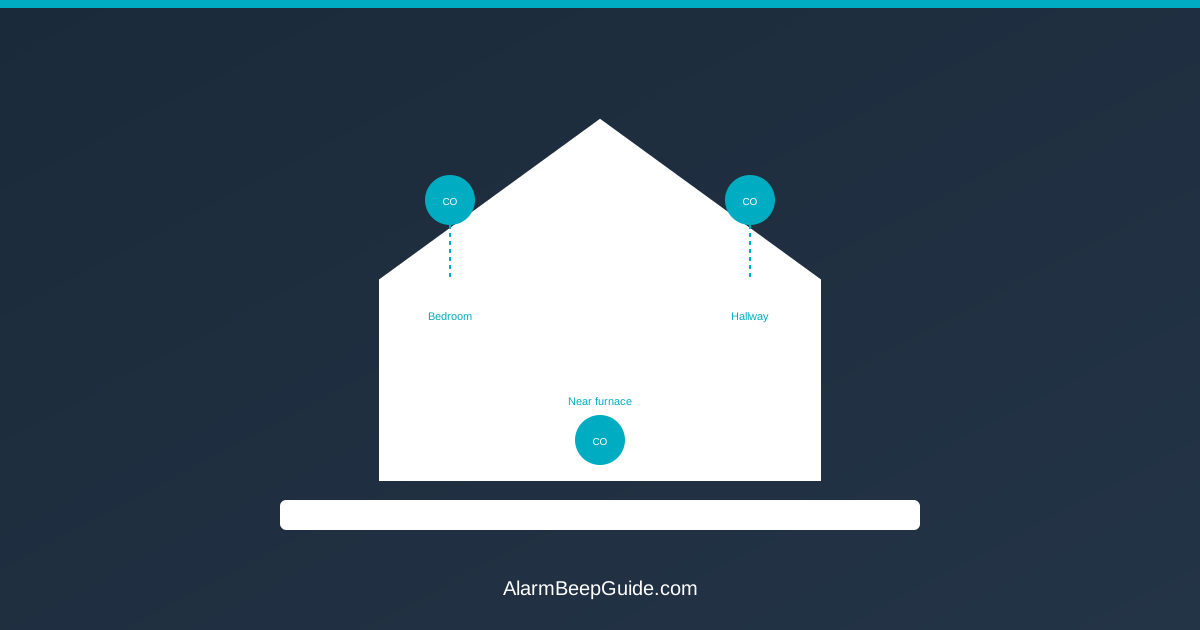
| Four beeps, pause, repeat | Every 30–60 seconds | Kitchen, bedroom, hallway | Carbon monoxide detector | CO detected or CO sensor fault | Carbon monoxide detector beep patterns |
| Single chirp | Every 60 seconds | Wall (near water heater, basement) | Water leak detector | Moisture at the sensor pad | Water leak detector beeping |
| Beep pattern + code on display | Varies by model | Kitchen counter / under counter | Refrigerator or freezer | Temperature fault, door ajar, filter change | Refrigerator beeping: meaning and fixes |
| End-of-cycle chime (single tone) | Once after cooking | Kitchen counter | Dishwasher | Cycle finished — normal reminder | Dishwasher beeping: meaning and fixes |
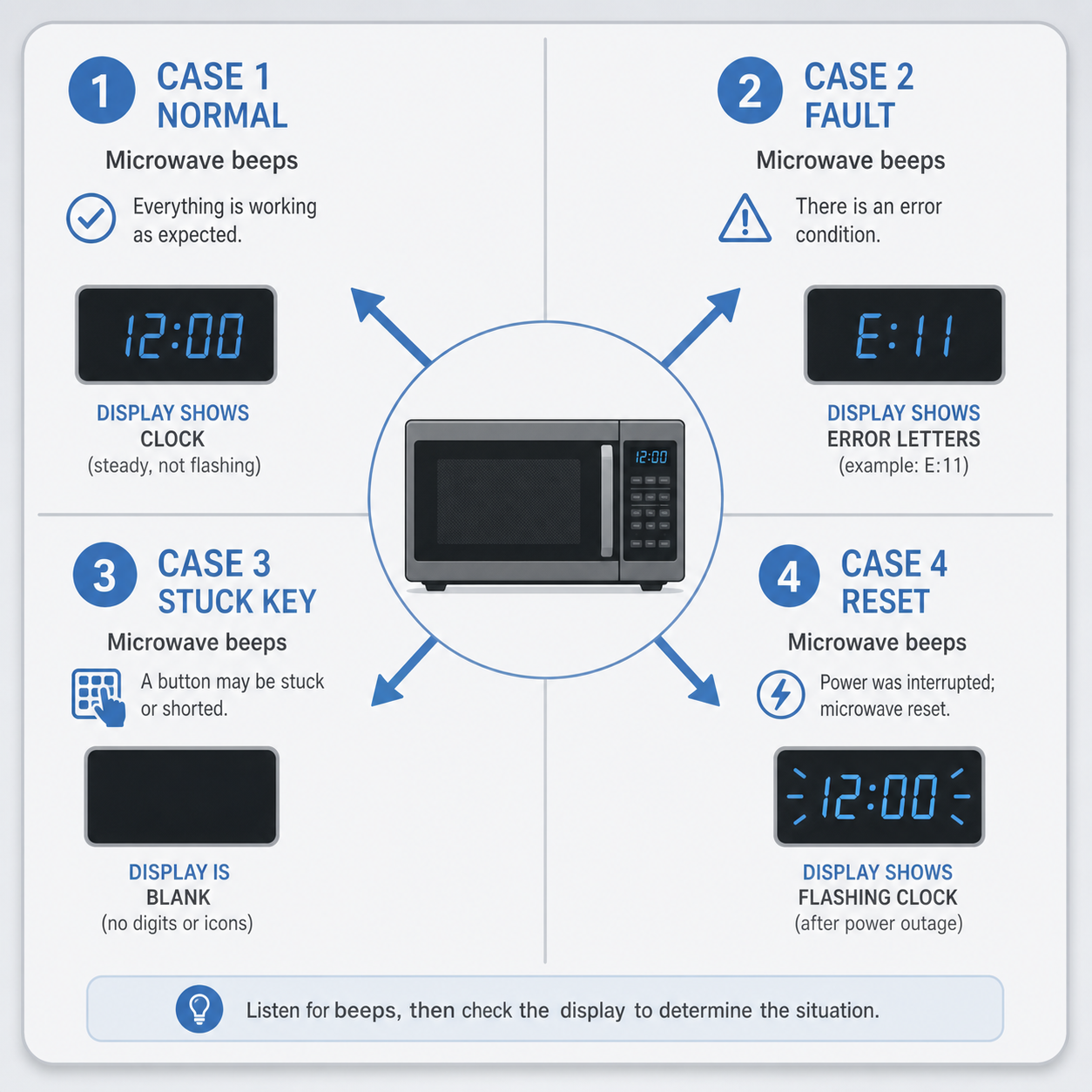
| Single beep every 15–30 min | Every 15–30 minutes | Kitchen counter | Microwave | Stuck key, demo mode, or error code | Microwave beeping: meaning and fixes |
| Intermittent beep + LED change | Every few minutes | Garage wall / ceiling | Garage door opener | Sensor misalignment or battery backup low | Garage door opener beeping: meaning and fixes |
| Single chirp | Every 60–90 seconds | Wall (living area, bedroom) | Thermostat (low battery) | Battery replacement needed | Search “[thermostat brand] low battery beep” plus your model |
| Short beep sequence + LED flash | Irregular intervals | Utility closet, basement | UPS or surge protector | Battery swap due, overload, or end-of-life | Search “UPS beeping codes” plus your model number |
| Single chirp / short tone | Periodic (seconds to minutes) | Any wall phone jack | Landline phone or emergency alert receiver | Incoming call indicator or NOAA weather alert | Emergency alert system phone sounds |
| Multi-beep code + status light | Varies by brand | Wall panel (entryway, basement) | Security alarm panel | Zone fault, low battery, keypad trouble, or arming error | Security system beeping codes |
How to use this table. If rhythm, interval, and location all line up with a row, go straight to that link. When two rows look possible, start with the ceiling device (smoke / CO detectors are far more common than thermostats or UPS units). If nothing fits, skim the deep-dive articles below — you will still find the right starting point.
The five-minute locator method
Now hunt step by step. This works in any house.
Step 1: listen first — set a timer
Stand still for one full minute and count the chirps. Note three things:
- Rhythm: single, pattern of how many, or continuous?
- Interval: roughly every how many seconds or minutes?
- Direction: louder from above, counter height, or floor level?
This gives you enough signal to consult the master table. Most people skip this and walk around for ten minutes without getting further.
Step 2: check ceiling devices (smoke / CO detectors)
Walk through every room and look up:
- Every 30–60 seconds is almost always a low-battery chirp on a smoke or CO detector. These are the most common mystery beeps in any house.
- Every 5+ minutes often points to end-of-life.
Interconnected detectors complicate this: one unit chirping can echo across every connected unit. If you hear chirping from multiple rooms simultaneously, see our dedicated guide on finding which smoke detector is beeping in an interconnected system.
Step 3: check kitchen and laundry appliances
Walk through the kitchen with eyes open this time. Look at every display:
- Refrigerator or freezer showing a temperature code?
- Dishwasher mid-cycle or post-cycle chime stuck on repeat?
- Microwave flashing error letters even when idle?
Appliance beeps usually pair with a visible indicator — blinking light, code on screen, LED state change. If you see sound and display activity together, that device is almost certainly your culprit.
Step 4: check utility spaces
Basement, laundry room, garage, closet near the water heater hide forgettable devices:
- Water leak detector by the water heater or sump pump.
- UPS unit in a closet with status LEDs.
- Garage door opener motor head on the ceiling.
Utility-space beeps tend to echo louder in smaller rooms. If chirping bounces off hard surfaces, it may come from one of these.
Step 5: check the forgotten-drawer devices
Grounded in real culprits we see on this site:
- Old cordless phones still beeping for missed calls.
- Digital timers on old coffee makers flashing after a power flicker.
- Key finders (Tile, AirTag-style) whose dying batteries chirp intermittently.
- Children’s toys with broken sound modules firing randomly.
If you have checked every ceiling, appliance, and utility space without success, do a drawer sweep. Pull everything out of drawers in the rooms where the beep is loudest. Place each item separately and wait to see which one chirps again.

Night beeps: why they get louder at 2 a.m.
If your mystery beep only happens at night or seems much more noticeable after midnight, you are not imagining it. There is a real electrochemical reason for this.
The short explanation. Alkaline batteries produce slightly less voltage when temperatures drop. At night, house temperatures fall five to ten degrees cooler than during the day. That small voltage drop can push a battery below the device’s chirp-threshold even though it was fine six hours earlier.
A battery reading 1.35 volts at 72°F might read 1.30 volts at 64°F — just below trigger point. The device chirps, the cycle resets, and it chirps again thirty seconds later. By morning, when the house warms up, the battery recovers above threshold and silence returns.
This is why smoke detectors, CO alarms, and thermostat batteries are the most common sources of night-only beeps.
The cheap fix. Replace suspect batteries in the evening before bed — even if they tested fine earlier. A fresh battery has enough headroom to survive a nighttime voltage dip without triggering a chirp.
For device-specific troubleshooting of overnight chirping, see Smoke detector chirping at night and the lifespan limits in our piece on how long smoke detectors last.
Multiple devices chirping together
Two or three different devices starting to chirp within minutes is usually not a coincidence.
Interconnect cascading. If your smoke detectors are hardwired and interconnected, one unit’s low battery can send a signal through the interconnect wire causing every connected unit to chirp. Three detectors on three ceilings all chirping, but only one actually has the problem.
Whole-panel trouble. A single wiring fault or voltage fluctuation can trigger multiple devices simultaneously — smoke detector, CO alarm, security panel. If several devices beep at once after a storm or power flicker, treat it as one root-cause event: isolate each device individually using the locator method above, then trace back to the common trigger.
One diagnosis path. When multiple devices chirp together:
- Identify which ones are chirping (use the master table).
- Determine whether they share a power source or interconnect wiring.
- Fix the root device first — others will usually stop once the cascade signal ends.
The emergency cutoff: when to leave vs troubleshoot
Not every beep means “call maintenance.” Some patterns mean danger right now. Know the difference before you start hunting.

Patterns that mean LEAVE NOW
Safety callout: If you hear any of the following patterns, do not spend time locating the source. Evacuate everyone from the house, call 911 from outside, and do not re-enter until cleared by emergency responders.
- Three beeps, pause, three beeps (smoke alarm mode) — active fire or smoke detected
- Four beeps, pause, four beeps (CO alarm mode) — carbon monoxide present at dangerous levels
- Continuous rapid beep with no pauses — any device in full-alarm state
If you experience symptoms like headache, dizziness, nausea, or difficulty breathing alongside a CO alarm, evacuate immediately and seek fresh air. Carbon monoxide is odorless and colorless.
Patterns that mean TROUBLESHOOT
All other patterns — single periodic chirps, slow multi-beep codes with no continuous tone, beeps paired with display error messages — fall into the troubleshoot category. Use the master table to identify and fix.
The always-treat-as-real rule. If you cannot distinguish between an alarm-mode pattern (3-beep or 4-beep) and a lower-priority chirp, treat it as real. Evacuate first, investigate later. False alarms are embarrassing; missed CO exposure is not.
After you find it: the fix routing
You have identified your device. Here is where to go next:
- Low battery / end-of-life chirp (single periodic) → head straight to Smoke detector chirping low battery or the equivalent guide for your device class. These account for roughly 80% of mystery beeps in any house.
- Error pattern with display code (multi-beep + letters) → go to the device-specific article: Refrigerator beeping, Dishwasher beeping, or Microwave beeping for the most common culprits.
- Interconnected system cascading → see Finding which smoke detector is beeping for isolation steps before you replace anything.
- “It stopped on its own but I never found it.” This is a warning, not relief. Intermittent chirping that vanishes when you approach usually means temperature-dependent battery fluctuation as described in the night-beeps section. Replace suspect batteries proactively; do not wait for the beep to return.
FAQ
Q: My house beeps every 15 minutes. What could it be? A: Most commonly a microwave stuck in demo mode, an old digital timer flashing its time, or a landline phone indicating a missed call. Less often, some UPS units chirp on roughly that schedule when their battery needs swapping.
Q: My house only beeps at night. Is something wrong? A: Very likely — and it is probably a battery issue tied to temperature drop, as explained in the night-beeps section. Replace suspect batteries in the evening before bed.
Q: The beep stopped but I never found the source. Should I worry? A: Intermittent beeps that vanish when you approach are almost always temperature-dependent battery fluctuations. Replace suspect batteries in all ceiling detectors and wall-mounted devices as a precaution.
Q: Is there an app to find where a beep is coming from? A: No app can reliably pinpoint the physical location of a household beep. Smartphone microphones cannot triangulate distance or direction well enough. The locator method in this article — listen first, count rhythm, match to table — remains faster and more accurate.
Q: What if two different devices chirp at the same time? A: They likely share a power source or interconnect wiring. Diagnose one device at a time using the five-minute locator method. Fix the root cause first — secondary chirps stop once the cascade signal ends.
Image Prompts
Placement: H2-2 (master matching table). Concept: A clean three-column decision card showing rhythm → interval → location as input columns feeding into a central “device class” output box, with small icon markers for each device category along the bottom row. Composition: Minimalist flat illustration on soft gray background, three narrow vertical input lanes merging into one wider output lane via subtle converging lines, device icons (smoke detector, CO alarm, fridge, dishwasher) arranged in a horizontal strip below the output box. Use the site’s calm blue accent palette.
Placement: H2-3 (five-minute locator method). Concept: A house cross-section cutaway with four color-coded zones highlighting where mystery beeps typically originate: ceiling devices zone (warm red), kitchen counter appliances (amber), utility spaces like basement and garage (cool orange), and forgotten drawers in living areas (soft yellow). Composition: Side-view house illustration, each zone filled with a translucent colored overlay, small icon silhouettes of representative devices inside each zone, subtle directional arrows pointing from the room name to its zone marker. Flat style matching site editorial aesthetic.
Placement: H2-6 (emergency cutoff safety). Concept: A three-path decision visual showing rhythm types mapped to response levels: single chirp with a wrench icon labeled “TROUBLESHOOT,” multi-beep pattern with a magnifying glass labeled “INVESTIGATE,” and continuous alarm with an exit-door icon labeled “EVACUATE NOW.” Composition: Horizontal flow layout, three distinct panels separated by thin dividers, each panel using its own accent color (green for troubleshoot, amber for investigate, red for evacuate), bold uppercase labels at the bottom of each panel for instant readability. Flat illustration style consistent with site visuals.