What to Look for in a Hardwired Replacement
When replacing hardwired smoke detectors, you need to consider several factors:
Wiring Compatibility
Most hardwired smoke detectors in US homes use a standard 3-wire connector (hot, neutral, interconnect). The replacement detector must be compatible with your existing wiring harness. Most modern detectors use the same standard, but verify before buying.
Photoelectric Sensor
Photoelectric sensors have lower false-alarm rates than ionization sensors. For hardwired replacement, photoelectric is strongly recommended.
Backup Battery
Hardwired detectors have a backup battery that takes over during power outages. Look for:
- Lithium backup battery (lasts 5-10 years)
- Sealed 10-year lithium (no replacement needed)
Avoid alkaline backup batteries, which need annual replacement.
Interconnect Capability
Hardwired detectors are usually interconnected, meaning when one detector triggers, all detectors sound. The replacement detector must support interconnect wiring.
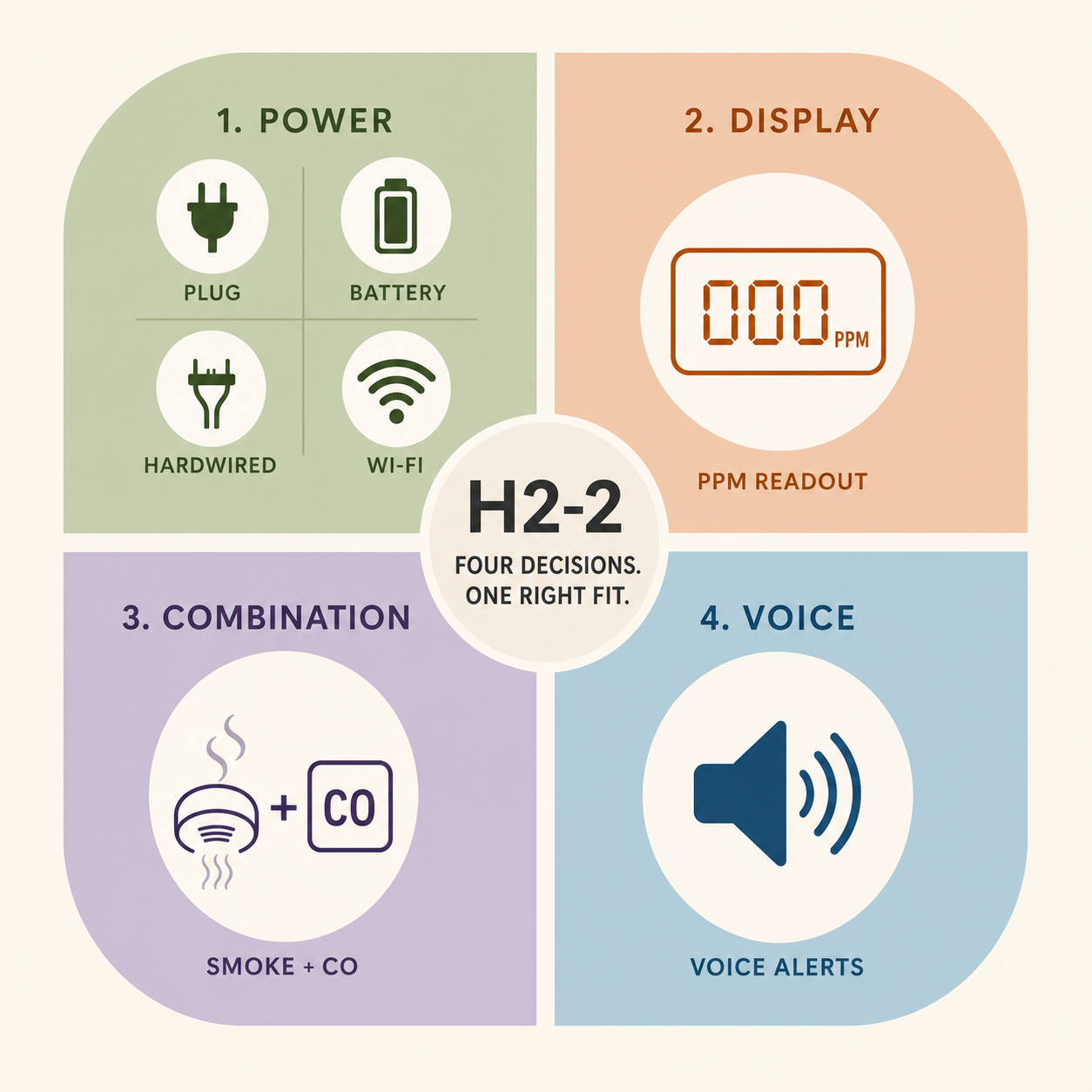
Combination Smoke/CO (Optional)
Some hardwired replacements combine smoke and CO detection in one unit. This is required in some jurisdictions for new construction and is a smart upgrade for any home.
Smart Features (Optional)
Smart detectors like the First Alert SC5 connect to Wi-Fi and send app alerts. They’re more expensive but provide remote monitoring.
Our Top Picks
Best Overall: First Alert SA511CN3
The First Alert SA511CN3 is a hardwired photoelectric smoke detector with a 10-year sealed lithium backup battery.
Specs:
- Sensor: Photoelectric
- Wiring: 120V AC hardwired with 3-wire interconnect
- Backup battery: 10-year sealed lithium
- Certifications: UL 217
- Warranty: 10 years
- Price: $30-45
Pros:
- Photoelectric sensor (low false alarms)
- 10-year sealed backup battery (no maintenance)
- Interconnect compatible (works with existing interconnected systems)
- Test button with silence feature
- Easy installation (uses existing wiring harness)
Cons:
- Smoke-only (no CO detection)
- No smart features
- No voice alerts
Best for: Replacing existing hardwired smoke detectors in homes that don’t need CO detection or smart features.
Best Combination: Kidde i4618
The Kidde i4618 is a hardwired combination smoke and CO detector with voice alerts.
Specs:
- Sensor: Photoelectric smoke + electrochemical CO
- Wiring: 120V AC hardwired with 3-wire interconnect
- Backup battery: 9V replaceable (1-2 years with alkaline, 5-10 with lithium)
- Certifications: UL 217 and UL 2034
- Warranty: 10 years
- Price: $40-60
Pros:
- Detects both smoke and CO
- Voice alerts (“Fire!” or “Warning: carbon monoxide”)
- Interconnect compatible
- Combination unit saves money vs buying separate detectors
Cons:
- 9V backup battery needs periodic replacement (unless you upgrade to lithium)
- CO sensor expires after 7 years (so the entire unit needs replacement at 7 years if you want reliable CO detection)
- No smart features
Best for: Homes that need combination smoke/CO detection in a hardwired unit.
Best Smart: First Alert SC5
The First Alert SC5 is the closest current replacement for the discontinued Nest Protect. It connects to Wi-Fi and sends alerts to your phone through the Google Home app.
Specs:
- Sensor: Split-spectrum (smoke and CO)
- Wiring: 120V AC hardwired with 3-wire interconnect
- Backup battery: 10-year sealed lithium
- Smart home: Google Home, Alexa
- Certifications: UL 217 and UL 2034
- Warranty: 10 years
- Price: $100-130
Pros:
- App alerts for smoke, CO, low battery, and end of life
- Voice alerts with location
- Works with Google Home and Alexa
- 10-year battery life
- Pathlight feature (motion-activated nightlight)
Cons:
- More expensive than basic hardwired detectors
- Requires Wi-Fi for smart features
- May have compatibility issues with older interconnect systems
Best for: Tech-savvy users who want smart features and remote monitoring.
For full details on the SC5, see our Nest Protect Discontinued Replacement Guide.
Best Budget: Kidde i12040
The Kidde i12040 is a basic hardwired ionization smoke detector with a 9V backup battery.
Specs:
- Sensor: Ionization
- Wiring: 120V AC hardwired with 3-wire interconnect
- Backup battery: 9V replaceable
- Certifications: UL 217
- Warranty: 10 years
- Price: $15-25
Pros:
- Very affordable
- Reliable brand
- Easy installation
- Widely available
Cons:
- Ionization sensor (higher false-alarm rate)
- Annual battery replacement needed (with alkaline)
- No CO detection
- No voice alerts or smart features
Best for: Budget installations and rental properties.
Best Photoelectric: BRK 3120B
The BRK 3120B is a hardwired photoelectric smoke detector with a 10-year sealed backup battery.
Specs:
- Sensor: Photoelectric
- Wiring: 120V AC hardwired with 3-wire interconnect
- Backup battery: 10-year sealed lithium
- Certifications: UL 217
- Warranty: 10 years
- Price: $25-35
Pros:
- Photoelectric sensor (low false alarms)
- 10-year sealed backup battery
- BRK is a sister brand of First Alert (same quality)
- Interconnect compatible
Cons:
- Smoke-only (no CO detection)
- No smart features
- No voice alerts
Best for: Homes that want a reliable photoelectric replacement at a mid-range price.
Compatibility with Existing Wiring
Before buying a replacement, check your existing wiring and detector type.
Standard 3-Wire Connector
Most US homes built after 1990 have hardwired smoke detectors with a standard 3-wire connector (hot, neutral, interconnect). All the detectors in this guide use this standard connector, so they should be drop-in replacements.
Older 2-Wire Systems
Homes built between 1980 and 1990 may have hardwired detectors with a 2-wire connector (no separate interconnect wire). These systems cannot interconnect multiple detectors. If you’re upgrading to a modern interconnected system, you may need to replace the wiring.
Very Old Systems (Pre-1980)
Homes built before 1980 may not have hardwired detectors at all, or may have very old wiring that doesn’t meet current code. If your wiring is this old, consider running new wire or switching to battery-only detectors.
Adapter Harnesses
If your existing wiring harness doesn’t match the new detector’s connector, you can buy an adapter harness. These are available at Home Depot, Lowe’s, and Amazon for $5-15.
To use an adapter:
- Cut the old connector off the existing wiring
- Strip about 1/2 inch of insulation from each wire
- Connect the wires to the adapter using wire nuts
- Plug the adapter into the new detector
If you’re not comfortable doing this yourself, hire an electrician. The cost is typically $50-100 for a simple adapter installation.
Step-by-Step Replacement
Replacing a hardwired smoke detector is straightforward if your existing wiring is compatible.
Tools Needed
- Stepladder
- Screwdriver (Phillips or flathead)
- Voltage tester (optional but recommended)
Replacement Steps
- Turn off the breaker for the smoke detector circuit. Verify the power is off by pressing the test button on an existing detector — it should not respond.
- Twist the old detector counterclockwise to release it from the mounting bracket.
- Disconnect the wiring harness by pressing the tab and pulling. Do not pull on the wires.
- Remove the old mounting bracket by unscrewing it from the ceiling or wall.
- Install the new mounting bracket using the existing screw holes if possible.
- Connect the wiring harness to the new detector. The connector only fits one way.
- Mount the new detector by twisting it clockwise onto the bracket until it clicks.
- Turn the breaker back on.
- Test the detector by pressing and holding the test button for 5 seconds.
The whole process takes 10-15 minutes per detector. For a full home of 7 detectors, allow 1-2 hours.
Testing the Interconnect
After installing all new detectors, test the interconnect:
- Press and hold the test button on one detector for 5 seconds
- Verify that all interconnected detectors sound
- If one detector doesn’t sound, check the wiring harness at that detector
Cost Comparison
Here’s what a full home replacement costs for each option:
| Detector Type | Cost Per Unit | Total for 7 Detectors | Best For |
|---|---|---|---|
| Kidde i12040 (basic) | $15-25 | $105-175 | Budget installations |
| First Alert SA511CN3 | $30-45 | $210-315 | Most homes |
| BRK 3120B | $25-35 | $175-245 | Mid-range photoelectric |
| Kidde i4618 (combo) | $40-60 | $280-420 | Combination smoke/CO |
| First Alert SC5 (smart) | $100-130 | $700-910 | Smart home integration |
Plus installation cost if you hire an electrician:
- DIY: Free
- Electrician: $50-100 per detector ($350-700 for 7 detectors)
Hardwired vs. Battery Replacement
If you’re currently hardwired, stay hardwired. Hardwired systems have several advantages over battery-only:
- Interconnection: When one detector triggers, all detectors sound. Battery-only systems cannot interconnect.
- Reliability: No risk of dead batteries causing the detector to fail.
- Code compliance: Hardwired is required by code for new construction in most jurisdictions.
- Lower maintenance: Backup battery lasts 5-10 years vs 1-2 years for primary batteries.
If you’re currently battery-only and considering upgrading to hardwired, the cost is significantly higher because new wiring must be run from the electrical panel. For most homes, the cost is $1,000-3,000 for a full home upgrade. This is worth it if you’re doing major renovations, but may not be worth it as a standalone project.
For cost details, see our Smoke Detector Replacement Cost guide.
Common Mistakes to Avoid
Mistake 1: Buying the Wrong Connector Type
The most common mistake. Verify your existing wiring connector matches the new detector before buying. If you’re unsure, take a photo of the existing wiring and bring it to the store.
Mistake 2: Not Testing the Interconnect
After installation, test that all interconnected detectors sound together. A single detector with a bad connection can break the entire interconnect system.
Mistake 3: Reusing Old Wiring Harnesses Without Inspection
If your existing wiring is more than 20 years old, inspect it for damage before reusing. Look for cracked insulation, corrosion, or loose connections.
Mistake 4: Mixing Detector Brands
In interconnected systems, all detectors should be the same brand and model. Mixing brands can cause interconnect issues. If you replace one detector, consider replacing all of them.
Mistake 5: Not Replacing All Detectors at Once
If your home’s hardwired detectors are all the same age (installed at the same time), replace them all at once. This standardizes the system and ensures consistent performance.
Upgrading to Smart Detectors
If you’re replacing hardwired detectors, consider upgrading to smart detectors like the First Alert SC5. Smart detectors provide:
- App alerts when smoke or CO is detected
- Remote testing from your phone
- Battery and end-of-life notifications
- Integration with smart home systems
The First Alert SC5 is the best smart option in 2026, since the Nest Protect has been discontinued. See our Nest Protect Discontinued Replacement Guide for full details.
Compatibility Notes
The SC5 works with most existing hardwired systems, but verify compatibility with your interconnect wiring before buying. The SC5 uses the standard 3-wire connector, so it should work with most US homes built after 1990.
Where to Buy
Hardwired smoke detectors are available at:
- Home Depot
- Lowe’s
- Amazon
- Best Buy
- Walmart
- Local hardware stores
Prices vary by retailer. Amazon often has the lowest prices, but Home Depot and Lowe’s have the advantage of in-person help if you’re unsure which model to buy.
FAQ
Can I replace a hardwired smoke detector myself?
Yes, if you’re replacing with the same model or a like-for-like compatible model. Turn off the breaker, disconnect the old detector, connect the new one. The whole process takes 10-15 minutes per detector.
How do I know if my hardwired detector is compatible with a replacement?
Most US hardwired detectors use the same 3-wire connector. If your existing connector fits the new detector, they’re compatible. If not, you can use an adapter harness.
What if my existing wiring doesn’t match the new detector?
Use an adapter harness. These are available at hardware stores for $5-15. Cut the old connector, strip the wires, and connect to the adapter using wire nuts.
How long do hardwired smoke detectors last?
10 years from the date of manufacture. The backup battery may need replacement sooner (1-2 years for alkaline, 5-10 years for lithium).
Can I mix hardwired and battery-only detectors in an interconnected system?
No. Hardwired interconnected systems use a separate interconnect wire that battery-only detectors don’t have. You can have both types in your home, but they won’t interconnect with each other.
Do hardwired detectors need a backup battery?
Yes. Hardwired detectors connect to AC power but have a backup battery for power outages. Without a backup battery, the detector is disabled during an outage.
How much does an electrician charge to replace hardwired smoke detectors?
Most electricians charge $50-100 per detector with a $150-300 minimum service fee. For a full home of 7 detectors, expect $400-1,200 in labor.
Should I replace all my hardwired detectors at once?
Yes, if they’re all the same age. This ensures consistent performance and lets you standardize on one model.
What’s the best hardwired smoke detector in 2026?
For most homes, the First Alert SA511CN3 is the best balance of price, features, and reliability. For smart features, the First Alert SC5. For combination smoke/CO, the Kidde i4618.
Can I use a smart detector with my existing hardwired system?
Yes, if the smart detector is hardwired-compatible. The First Alert SC5 is hardwired-compatible and works with most existing interconnected systems.
Interconnectable hardwired smoke + CO with battery backup and voice warnings — the direct replacement for aging hardwired units, compatible with existing Kidde interconnect wiring.
Check price on Amazon Price & availability shown on Amazon.com — we may earn a commission.Related Articles
- Best Battery Smoke Detectors for Bedrooms — for battery-only installations
- Smoke Detector Replacement Cost — DIY vs electrician pricing
- Smoke Detector Placement in US Homes — where to install
- Hardwired Smoke Detector Beeping — troubleshooting hardwired chirps
- Nest Protect Discontinued Replacement Guide — smart detector options